Use CSS in Blockly
3. A tour of Blockly's elements
In this section, you'll explore the HTML and SVG elements used by Blockly, as well as the classes assigned to these elements.
In your Blockly editor, drag a count with block from the Loops category and an if do block from the Logic category onto your workspace and open your browser's developer tools. Your screen should look something like this:
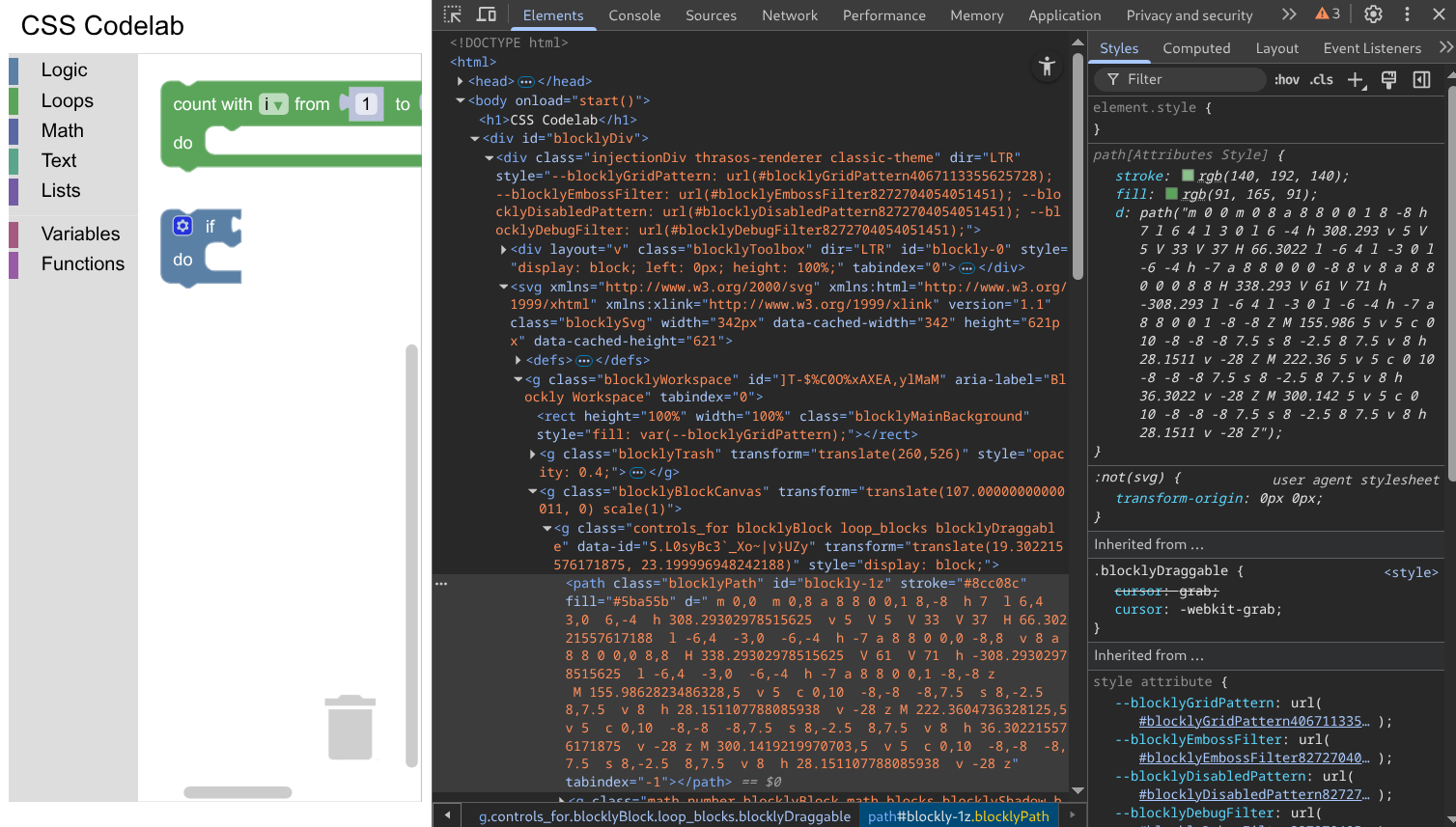
Using the element inspector, explore the elements used by Blockly. For example, see if you can find the SVG <path> element used to draw the count with block. If you're having trouble finding things, the following outline might help. (Note that it omits some elements and most attributes.)
Description                      DOM elements
-------------------------------  ----------------------------------------------
<body> element                   <body>
  App-specific container           <div id="blocklyDiv">
    Injection element                <div class="injectionDiv">
      Toolbox                          <div class="blocklyToolbox">
      Main SVG element                 <svg class="blocklySvg">
        Main workspace                   <g class="blocklyWorkspace">
          Trash                            <g class="blocklyTrash">
          Block canvas                     <g class="blocklyBlockCanvas">
            Block 1                          <g class="controls_for">
              <path> element                   <path class="blocklyPath">
              Child block 1                    <g class="math_number">
              Child block 2                    <g class="math_number">
              ...                              ...
              Field 1                          <g class="blocklyLabelField">
              Field 2                          <g class="blocklyDropdownField">
              ...                              ...
            Block 2                          <g class="controls_if">
          Bubble canvas                    <g class="blocklyBubbleCanvas">
          Scrollbar background             <rect class="blocklyScrollbarBackground">
      Scrollbars, flyouts, etc.        <svg>s
  Widget, dropdown, tooltip divs   <div>s
One thing that's important to notice are the blocklyXxxx classes assigned to most elements. These explain how Blockly uses each element and will be the targets of many of your CSS rules. If you look closely, you'll notice that many elements have multiple classes -- for example, the <g> element for the dropdown field in the counts with block has blocklyField, blocklyDropdownField, blocklyVariableField, and blocklyEditableField classes. Having multiple classes allows you to write CSS rules that affect different ranges of elements.