Customizing a Blockly toolbox
1. Codelab overview
What you'll learn
This codelab will focus on customizing the Blockly toolbox.
In this codelab you will learn:
- How to add a background color to a toolbox category.
- How to change the look of a selected category.
- How to add a custom CSS classes to a toolbox category.
- How to change the structure of your category HTML.
- How to add a custom toolbox item.
What you'll build
Over the course of this codelab you will customize your toolbox categories as well as create a custom toolbox item. The resulting toolbox is shown below.
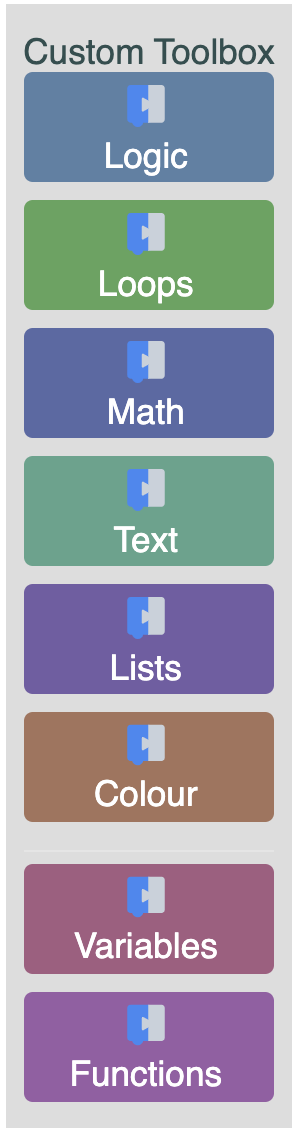
The code samples are written in ES6 syntax. You can find the code for the completed custom toolbox on GitHub.
What you'll need
- A browser.
- A text editor.
- Basic knowledge of HTML, CSS, and JavaScript.
- Basic understanding of the Blockly toolbox.
Throughout various parts of this codelab we will be talking about toolbox definitions. The toolbox definition can be written in XML or JSON. We will be using an XML toolbox definition that can be found in the provided code.