Build custom renderers
8. Typed connection shapes
This step will create a renderer that sets connection shapes at runtime based on a connection's type checks. It will use the default connection shapes and the shapes defined in the previous steps.
Override shapeFor(connection)
Override the shapeFor(connection) function in the CustomConstantProvider class definition to return a different connection shape based on the checks returned from connection.getCheck(). Note the previous definition of shapeFor(connection) created in previous steps will need to be deleted.
The new definition of shapeFor(connection) will:
- Return a rectangular tab for inputs and outputs that accept
Numbers andStrings. - Return the default puzzle tab for all other inputs and outputs.
- Return the normal notch for all previous and next connections.
/**
 * @override
 */
shapeFor(connection) {
  var checks = connection.getCheck();
  switch (connection.type) {
    case Blockly.INPUT_VALUE:
    case Blockly.OUTPUT_VALUE:
      if (checks && checks.includes('Number')) {
        return this.RECT_INPUT_OUTPUT;
      }
      if (checks && checks.includes('String')) {
        return this.RECT_INPUT_OUTPUT;
      }
      return this.PUZZLE_TAB;
    case Blockly.PREVIOUS_STATEMENT:
    case Blockly.NEXT_STATEMENT:
      return this.NOTCH;
    default:
      throw Error('Unknown connection type');
  }
The result
Take these steps to fully test this change in the browser:
- Click on the
Loopsentry and drag out a repeat block. - Click on the
Logicentry and drag the conditionalifblock into the repeat block that was placed on the workspace in the previous step.
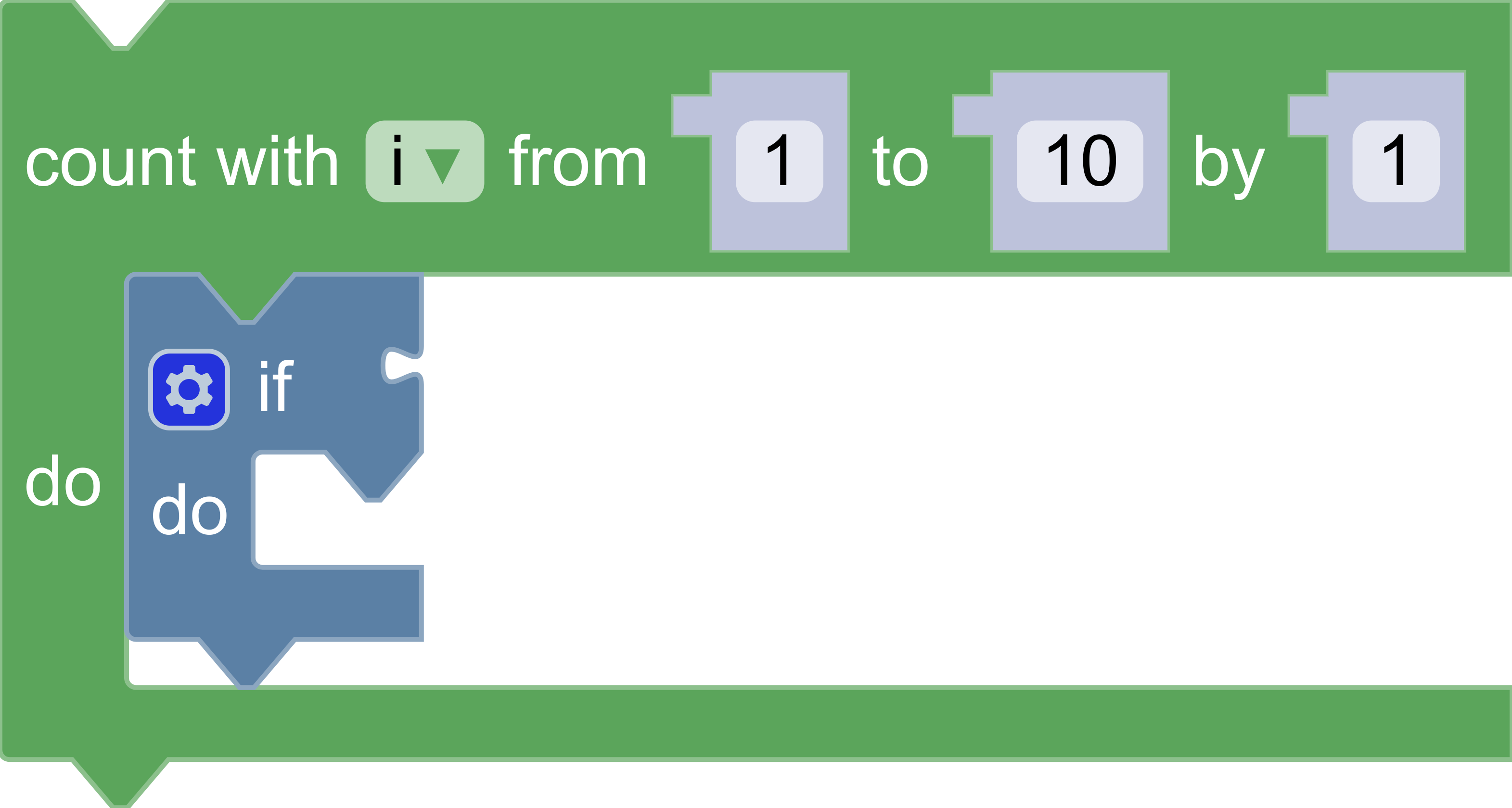
There should be an entry similar to the screenshot below, in which the Number inputs and outputs are rectangular, but the boolean input on the if block is a puzzle tab.