Build a custom generator
8. Object block generator
This section will write the generator for the object block and will demonstrate how to use statementToCode.
The object block generates code for a JSON Object. It has a single statement input, in which member blocks may be stacked.
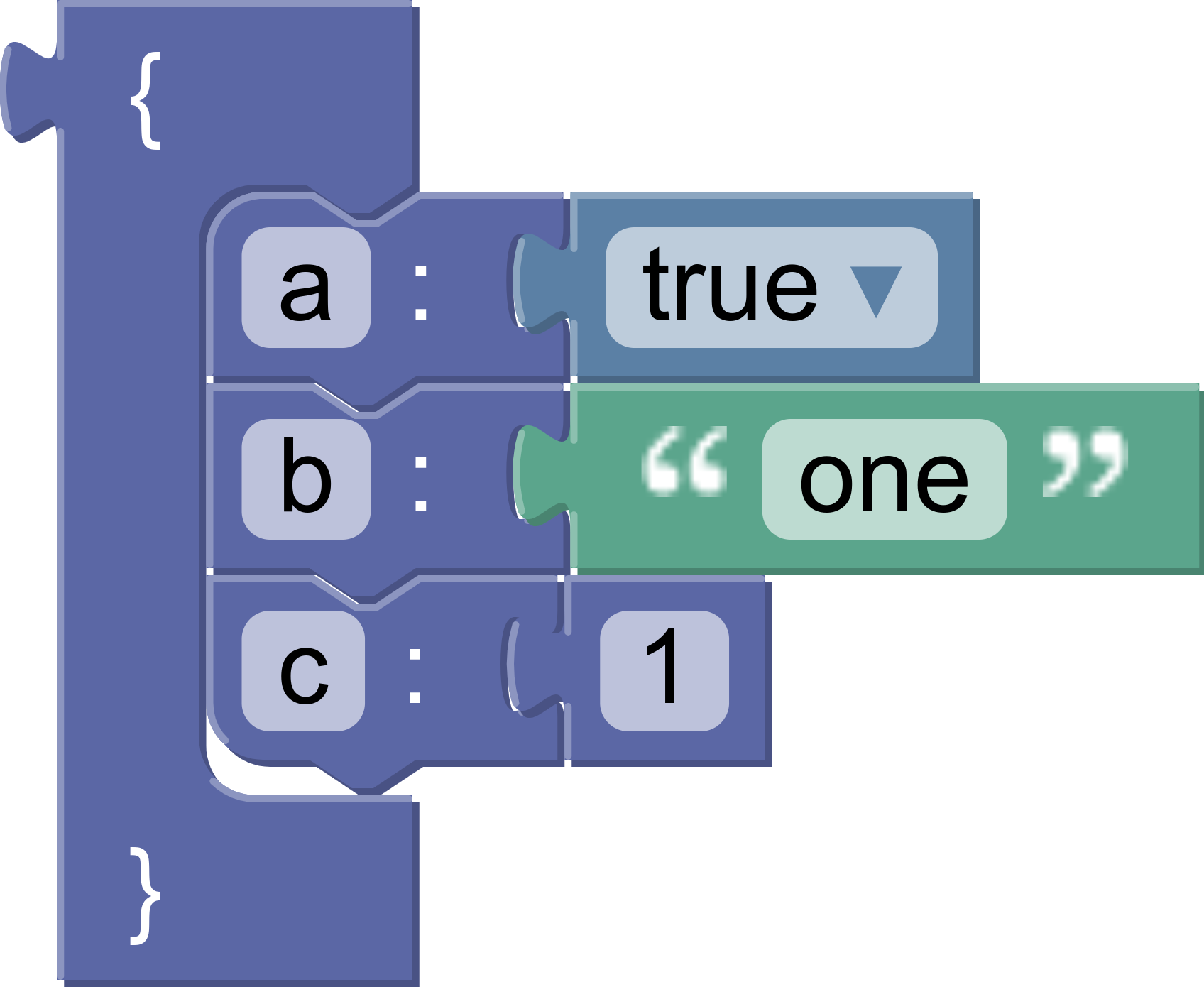
The generated code looks like this:
{
  "a": true,
  "b": "one",
  "c": 1
}
Get the contents
We'll use statementToCode to get the code for the blocks attached to the statement input of the object block.
statementToCode does three things:
- Finds the first block connected to the named statement input (the second argument)
- Generates the code for that block
- Returns the code as a string
In this case the input name is 'MEMBERS'.
const statement_members = generator.statementToCode(block, 'MEMBERS');
Format and return
Wrap the statements in curly brackets and return the code, using the default precedence:
const code = '{\n' + statement_members + '\n}';
return [code, Order.ATOMIC];
Note that statementToCode handles the indentation automatically.
Test it
Here is the full block generator:
jsonGenerator.forBlock['object'] = function (block, generator) {
  const statementMembers = generator.statementToCode(block, 'MEMBERS');
  const code = '{\n' + statementMembers + '\n}';
  return [code, Order.ATOMIC];
};
Test it by generating code for an object block containing a single member block. The result should look like this:
{
  "test": true
}
Next, add a second member block and rerun the generator. Did the resulting code change? Let's look at the next section to find out why not.